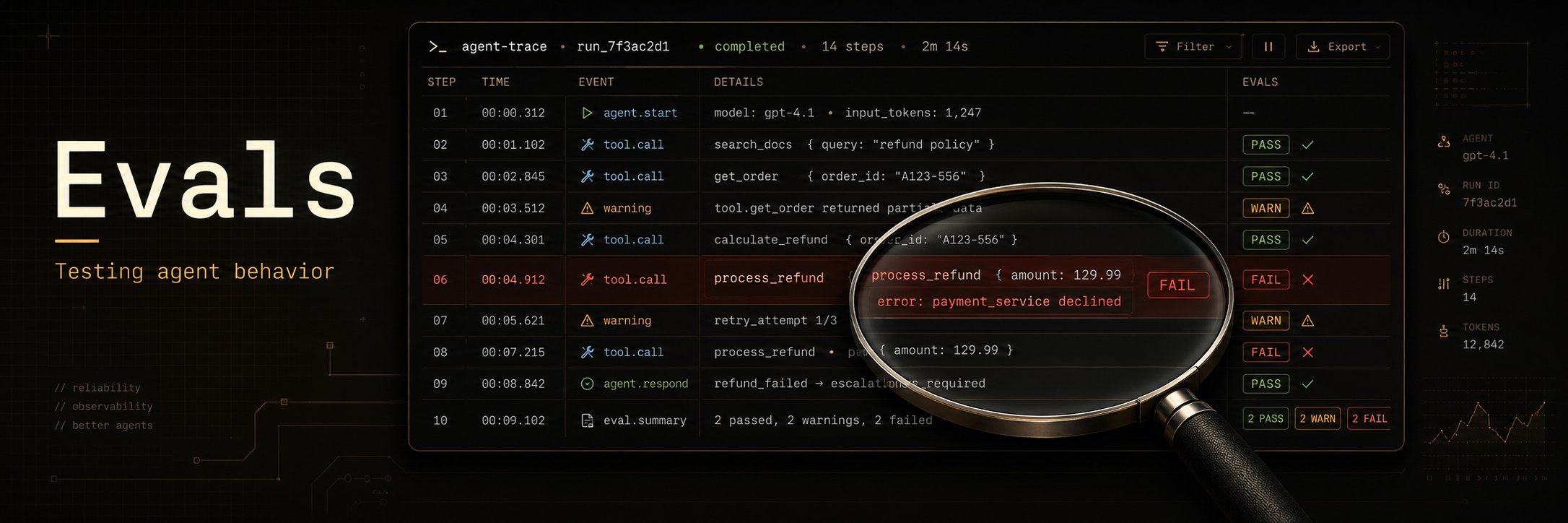
Evals
Evals, or evaluations, are tests that check whether your system does what you built it to do.
A pytest test is an eval. A latency check for an API is an eval. A check that all warnings in the logs have been handled is also an eval.
Agent evals are different because agents are built around language models. Language model systems need different evals for a few reasons.
- The same input can produce different outputs on different runs.
- The output can be a message, a tool call, a file change, or a decision to ask the user a question.
- The system has many parts, such as prompts, tools, memory, retrieval, policies, and model settings.
- Correctness alone is not enough because an agent can reach the right answer in the wrong way.
Why evals matter
As agents become more autonomous, the question is no longer only, "Can the model answer correctly?"
The harder question is whether the whole system behaves reliably across tools, memory, retrieval, prompts, and user goals.
Evals let us change the product quickly without breaking things that worked before. They also help us improve the product in a controlled way, because we can see which changes make the agent better and which changes create new failures.
What should agent evals measure?
- Goal completion. Did the agent finish the task the user asked for?
- Correctness. Is the final answer or action right?
- Faithfulness. Does the agent stay grounded in the given context and sources?
- Tool selection. Did the agent choose the right tools for the task?
- Tool use. Did the agent avoid extra tool calls and repeated work?
- Cost and token use. Did the agent stay within the budget for the task?
- Latency. Did the agent finish within the expected time?
- Safety. Did the agent avoid unsafe or disallowed actions?
- Hallucinations. Did the agent invent facts, sources, or results?
- Instruction following. Did the agent follow the user request and the system rules?
- Error recovery. Did the agent notice failures and take a useful next step?
Types of evals
- Unit evals
- End-to-end evals
- Regression evals
- Comparative evals
- LLM-as-judge evals
- Deterministic evals
- Human evals
- Online production evals
Deterministic evals vs LLM judges
Use a deterministic eval when the answer can be checked with code. These checks should give the same result every time. They are best for facts about the run, the output format, tool calls, budgets, and policy rules.
Good deterministic checks include these.
- Did the tool call succeed?
- Did the JSON parse?
- Did the agent stay within the token budget?
- Did the agent avoid forbidden tools?
- Did the final answer include the required fields?
Use an LLM judge when the answer needs judgment. These checks are useful when a human would need to read the output and decide whether it is good enough.
Good LLM judge checks include these.
- Was the answer helpful?
- Did the answer stay grounded in the given context?
- Did the agent explain its reasoning clearly?
- Did the agent complete the user's goal?
- Did the tone match the task?
- Would the user likely be satisfied with the answer?
Do not use an LLM judge for checks that code can handle. It adds cost, latency, and another possible source of error. A good eval suite usually has both kinds. Code should handle the facts. The LLM judge should handle the parts that require reading and judgment.
Online vs offline evals
Offline evals run before a change reaches users. They use a fixed dataset of prompts, traces, expected results, and labels. They are useful for catching regressions before you ship a new model, prompt, tool, or policy.
Online evals run on live traffic or recent production traces. They show how the system behaves with real users, real tools, and real failures. They are useful because a fixed dataset will never cover every way users ask for help.
Use offline evals when you want a repeatable check during development. Use online evals when you want to know what is happening in production.
A good eval process uses both. Offline evals protect the main workflows before release. Online evals find new failure cases after release. The best online failures should become new offline evals, so the same bug does not return later.
Why it is hard to evaluate agents
Evaluating a language model
When you evaluate a language model, the eval usually has three parts.
- The input you send to the model.
- The output the model returns.
- The expected answer, also called the ground truth.
The cost of the eval grows with the amount of text you put into the model. It is still bounded by the model's maximum context length.
Static evals can work well here because the input and expected answer are fixed.
Evaluating an agent
You cannot judge an agent only by its final answer. You also need to check how it got there.
You need to ask questions like these.
- Did the agent complete the user's goal?
- Did the agent call the right tools?
- Did the agent use more tool calls than needed?
- Did the agent recover when something failed?
- Did it do something fatal when it wasn’t supposed to?
A normal unit test often misses these problems.
Cost can be hard to bound because the agent can take many steps before it stops.
Static evals can be misleading because the same task can lead to different paths on different runs.
An agent also needs to be reliable. It should complete the task in the expected way across many runs, not only once.
Capability is not the same as reliability. An agent is not useful if it can solve a task correctly but only succeeds in 10 percent of runs.
Reliability is the main thing to measure once the agent has the basic capability.
Evals help you find where the agent fails. They also show what the agent can do, when it invents facts, and which parts of the task are still weak.
Building an eval dataset
Sources:
- Production traces
- Dogfooding traces
- Synthetic traces
- Known failure cases
- Edge cases
- Adversarial examples
- High-value user workflows
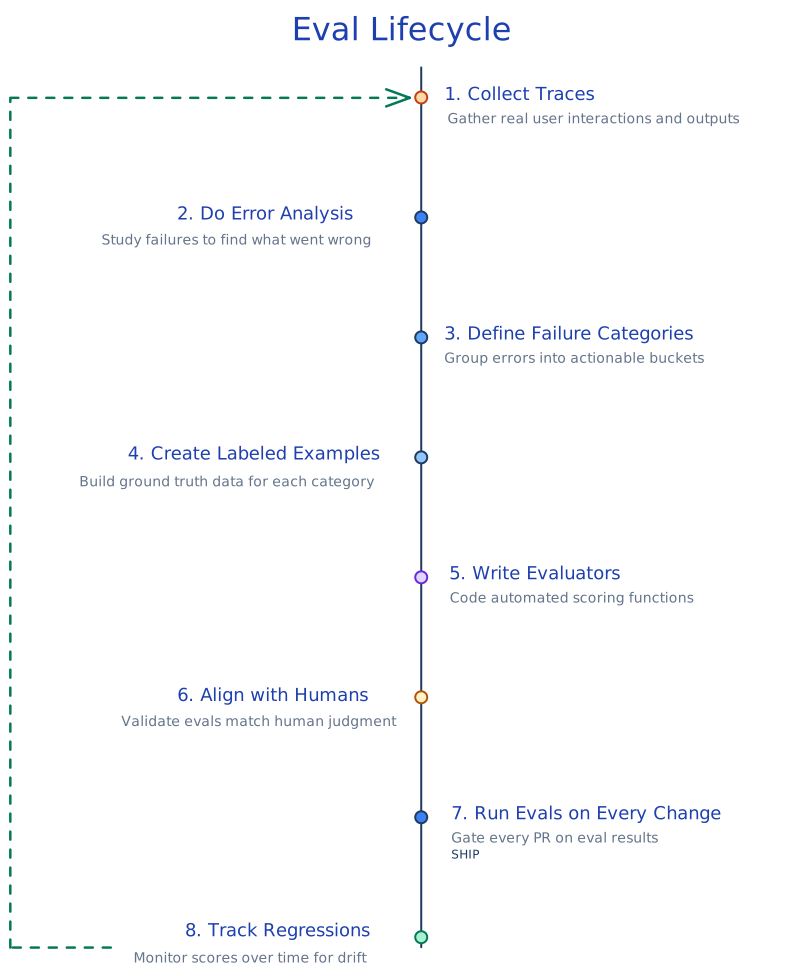
Eval lifecycle
An eval is not a one-time test. You build a dataset, run the eval, inspect failures, update the system, and add new failures back into the dataset.
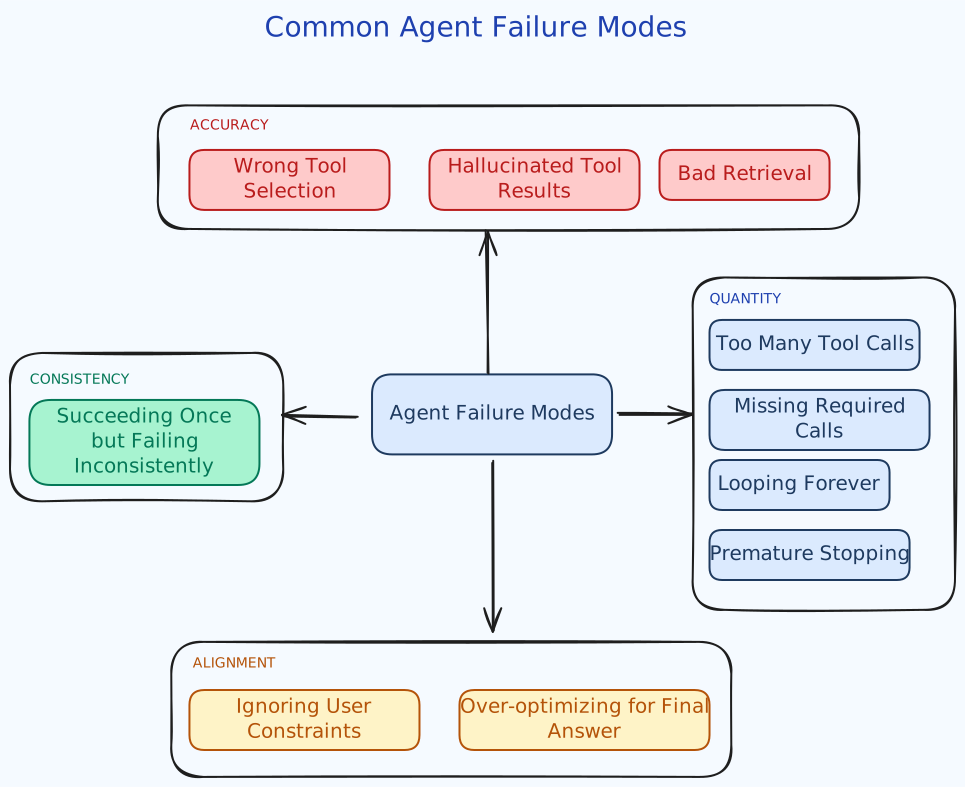
Agent failure modes
Agent failures can happen at different points in the run. The final answer may be wrong, but the cause may be an earlier tool call, retrieval step, policy decision, or recovery step.
Error analysis
Error analysis is the process of reviewing traces to understand how your system fails.
The four step process
- Create a dataset. Gather representative traces of user interactions. If you have no data, generate synthetic data using structured dimensions.
- Review and note. An expert reads traces and writes open-ended observations about issues found. Focus on the first failure in each trace.
- Group and count. Categorize notes into failure types. Count how often each failure occurs.
- Repeat. Keep reviewing until no new failure types emerge. Stop when about 20 traces do not produce a new category. Review at least 100 traces total.
Error analysis decides what evals to write first. Without it, you build generic metrics that create false confidence rather than catching failures that are unique to your application.
Writing product evals
Label data
Start with 50 to 100 samples. You can use traces from dogfooding or traces from production.
Pick one objective for each sample, e.g., faithfulness, tool budget, token budget, or user goal completion.
Use simple labels. Pass or fail works well for one trace. Win, lose, or tie works well when you compare two responses.
Avoid Likert scales, such as 1 to 5 or 1 to 10. I made this mistake once. Three of us were labeling the dataset internally, and we spent too much time debating whether a trace deserved a 4 or a 5.
Binary labels reduce this problem because the scorer has to make a clear decision.
Remember that language model systems are not fully predictable. The same task may take three tool calls in one run and five tool calls in another run. Do not fail a trace for that alone unless the extra calls clearly hurt the task.
Use separate evaluators for separate dimensions, e.g., faithfulness, correctness, tool use, and cost. Do not use one evaluator for everything.
Try to keep the dataset balanced, with about the same number of pass and fail samples.
Align the evaluator with human scorers
First, read the traces yourself and label them manually.
Then run the first version of the evaluator on the same traces.
For each mismatch, read the evaluator's reasoning and compare it with the human label.
Then update the evaluator prompt so its decisions match the human labels more often.
Harness
An eval harness is the mechanism/code that runs your evals in a repeatable way.
It should:
- Take inputs, outputs, traces, and labels from an agent.
- Run the individual evaluators.
- Aggregate the results.
- Return a final verdict.
- Support evals when behavior changes, such as changes to temperature, prompt templates, or tool descriptions.
Running evals before release
Run evals before every meaningful change to the agent. This includes changes to the prompt, model, tools, retrieval system, memory, safety rules, or planner.
The eval run should compare the new version against the current production version. Do not only look at the average score. Read the failures, because one serious regression can matter more than a small score gain.
A release should pass the most important evals before it ships. If it fails, either fix the change or accept the failure explicitly. The point is not to block every change. The point is to know what changed before users find it.
Closing Thoughts
Good evals make agent changes easier to trust. They do not remove the need to read failures and use judgment, but they give you a repeatable way to see what changed.
Start with the workflows that matter most. Add new evals when you find new failures. Over time, the eval suite should become a record of what the product must keep doing well.